
Creating Assessments
Step-by-Step Guide to Creating
Assessments
Introduction
This guide will walk you through the process of creating different types of assessments, including domain-based and coding assessments (both LiveTask and TakeHomeTask), using the platform demonstrated in the video. By following these steps, you'll be able to effectively create and customize assessments for various skills and domains. No specific prerequisites are needed, but familiarity with assessment principles is helpful.
Overview
The process involves creating assessments in two main categories: domain-based assessments and coding assessments. Domain-Based Assessment: This involves creating assessments with multiple-choice or text-based questions related to a specific domain. Coding Assessments: This includes two types: LiveTask: A real-time coding assessment where candidates write code. TakeHomeTask: An assignment where candidates complete a coding task on their own time.
Detailed Steps
Creating a Domain-Based Assessment
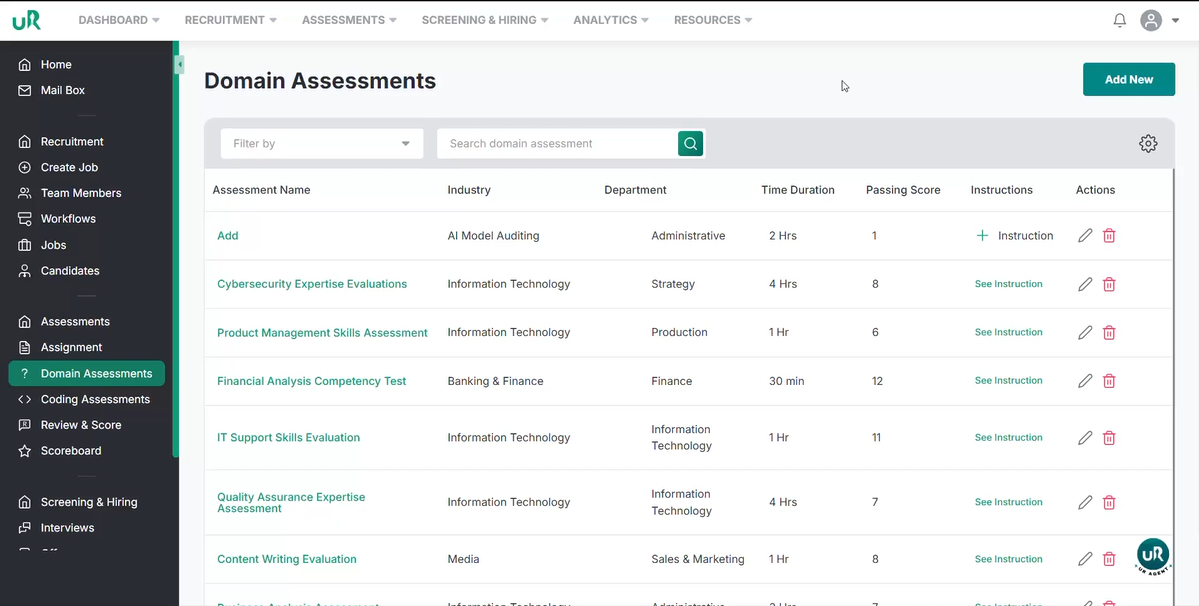
Add New Assessment: Click the "Add New" button to start creating a new assessment.
Define Assessment Details:
- Enter the assessment name (e.g., "React and Developer Skills") .
- Select the relevant industry (e.g., "Engineering") .
- Choose the appropriate department (e.g., "Information Technology") .
Add Domain Questions:
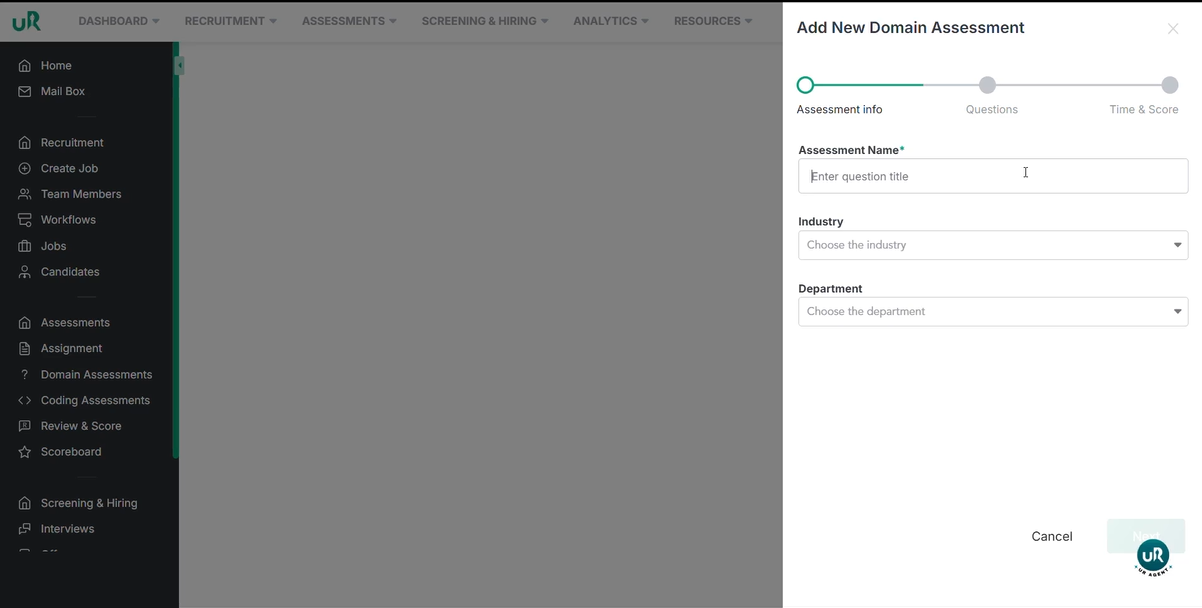
- Click "Next" to proceed to the domain questions section .
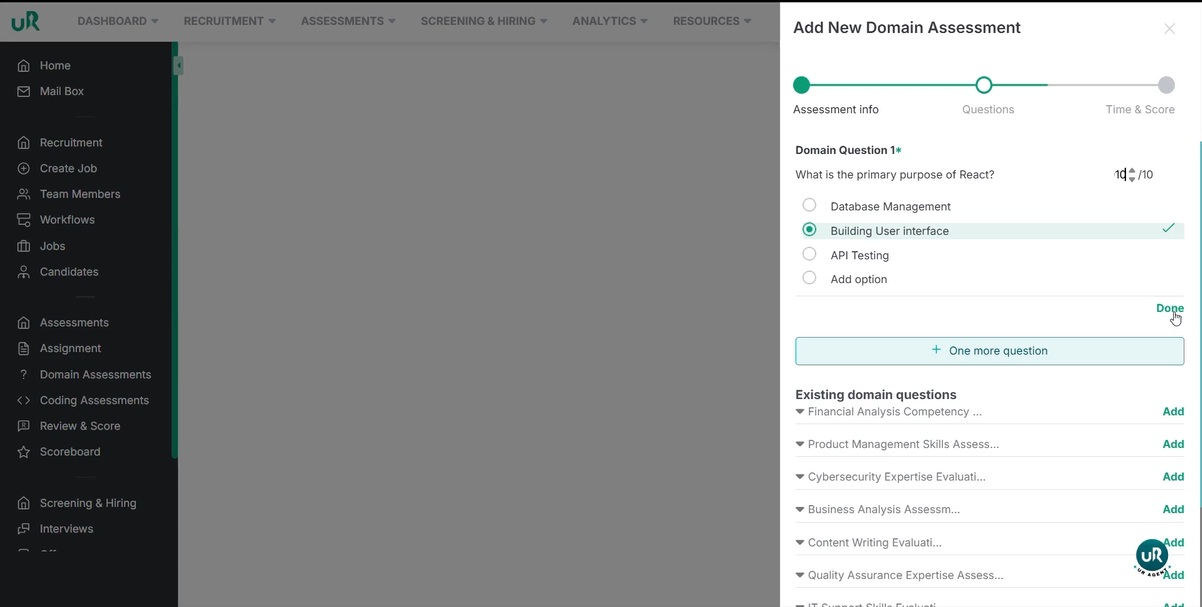
- Enter the first question (e.g., "What is the primary purpose of React?") .
Define Question Type and Options:
- Choose the question type (e.g., "Single Choice") .
- Add answer options (e.g., "Database Management", "Building User Interface", "API Testing") .
- Edit options as needed .
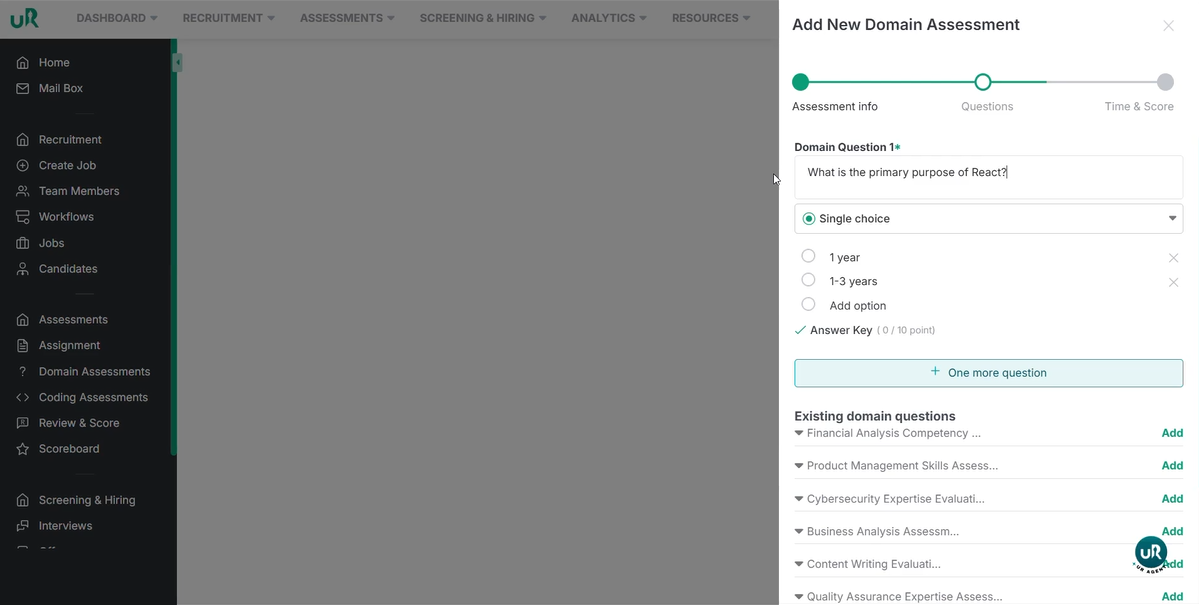
Specify the Correct Answer:
- Select the correct answer from the options .
- Assign a score for the correct answer .
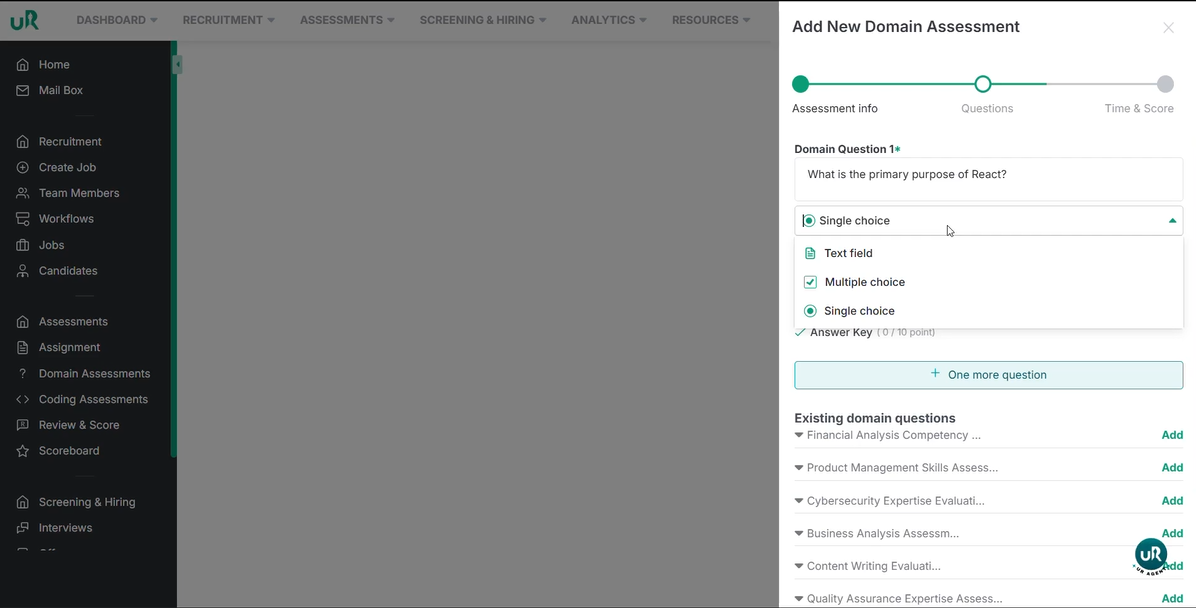
Use Existing Questions (Optional):
- We can select from existing domain questions as well.
- Edit the question as needed . Finalize Assessment Details:
- Click "Next" when satisfied with the questions .
- Specify the passing marks and duration to complete the test . Create Assessment:
- Click the "Create" button to finalize the assessment .
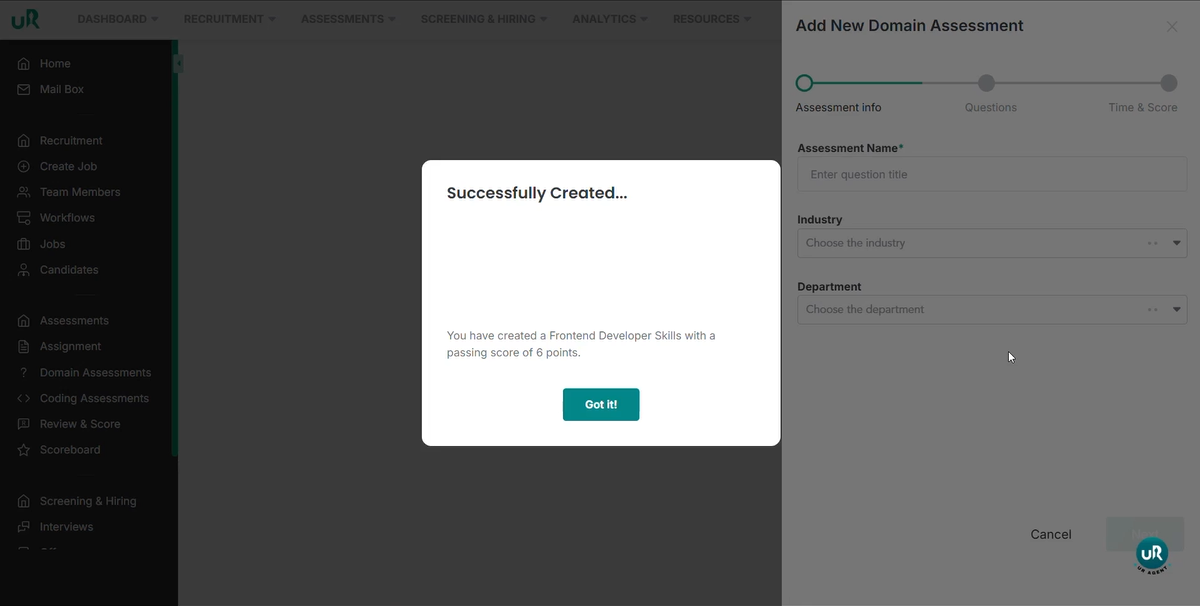
- A confirmation message will appear: "Successfully created".
Creating a Coding Assessment: LiveTask
Add New Assessment:
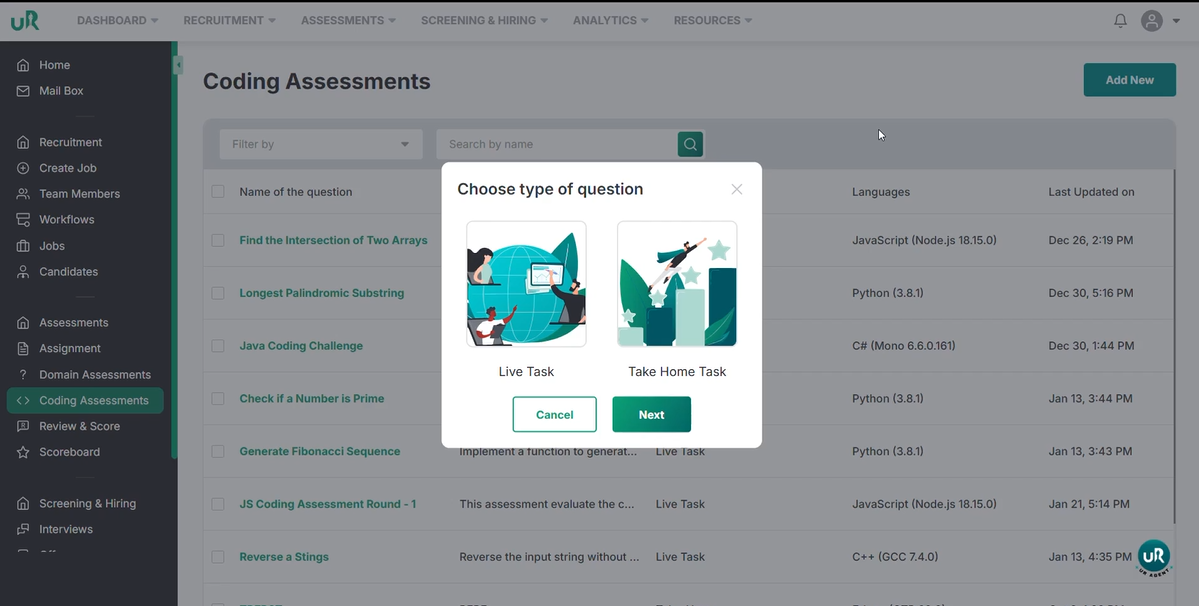
- Click the "Add New" button .
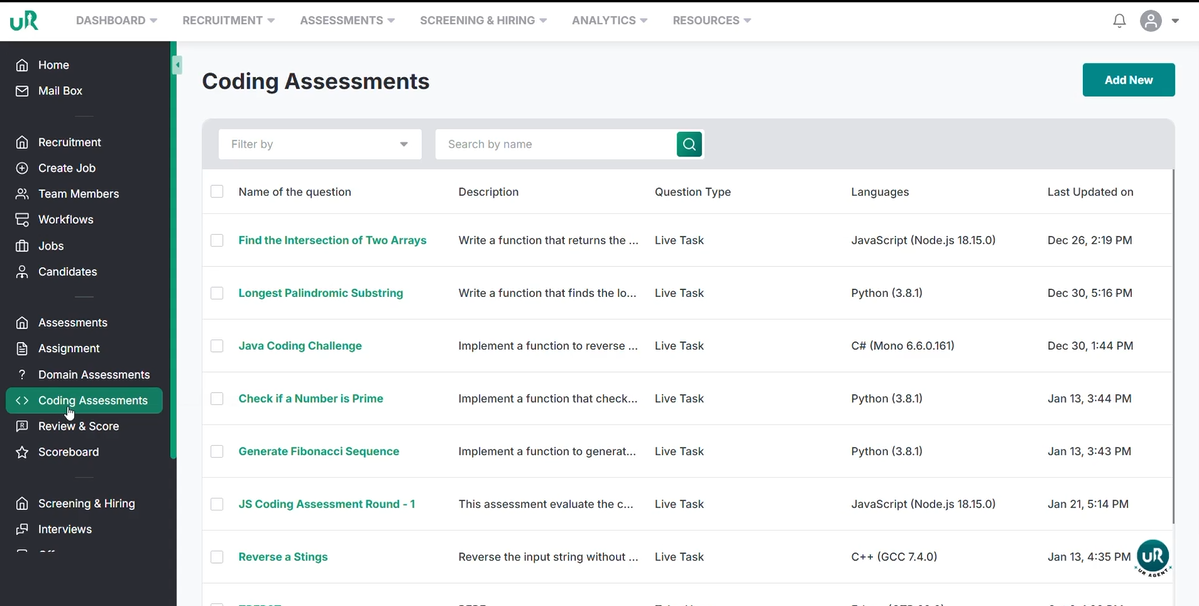
Select LiveTask:
- Choose the "LiveTask" option .
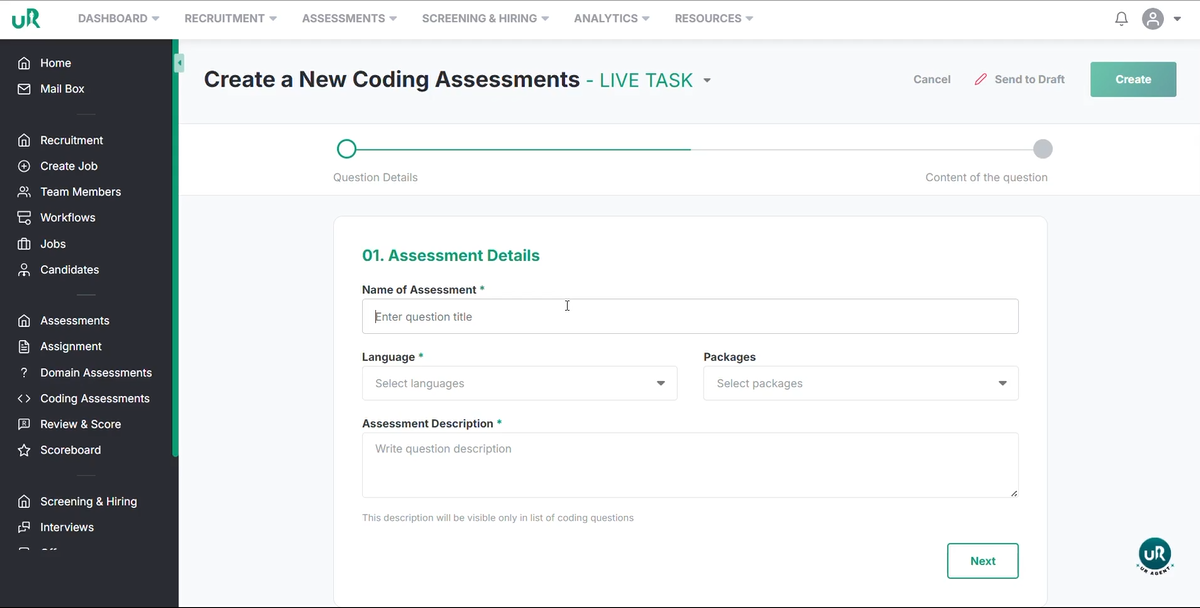
Name the Assessment:
- Enter a name for the assessment (e.g., "Check if two strings are Enneagram") . Specify Language and Package:
- Select the programming language (e.g., "JavaScript") .
- Choose the appropriate package . Add Description:
- Provide a description of the task (e.g., "Write a program which checks if the given string is an anagram or not") .
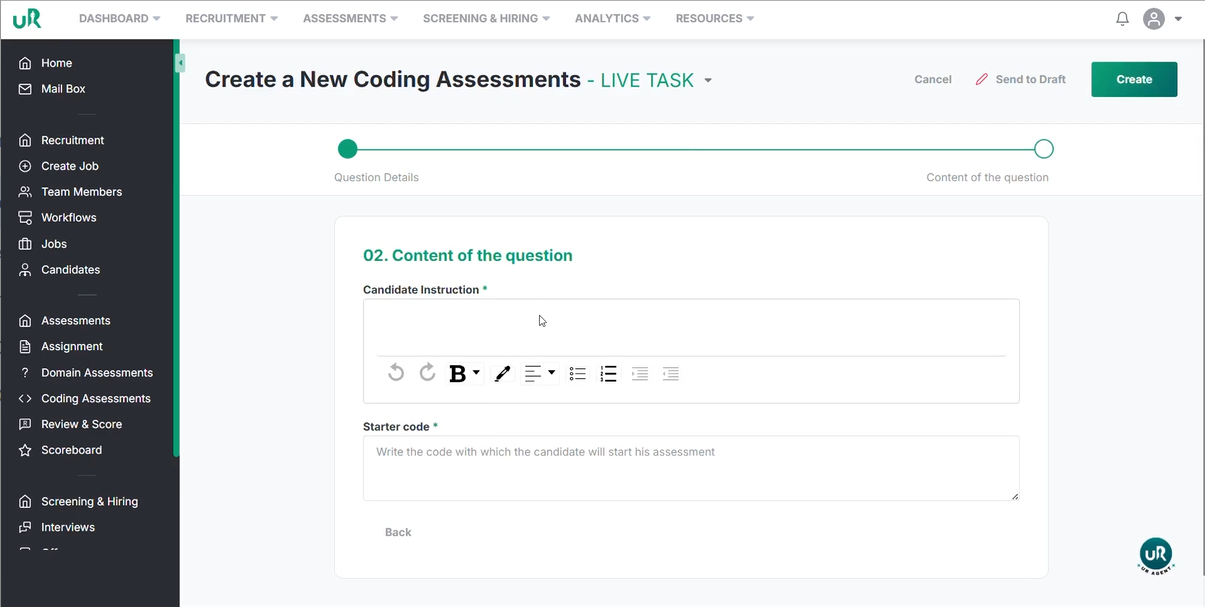
Add Instructions:
- Click "Next" and add instructions for the candidate (e.g., requirements, all test cases should pass)
Provide Initial Code (Optional):
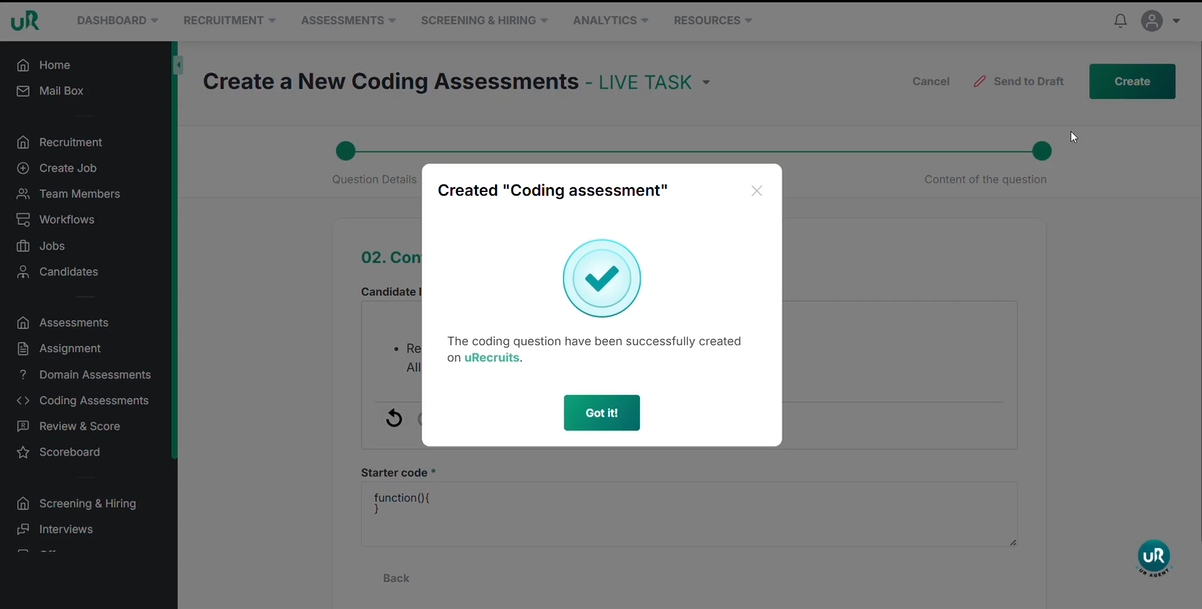
- Provide a starting code snippet (e.g., a function declaration) . Create Assessment:
- Click the "Create" button to finalize the LiveTask assessment .
Creating a Coding Assessment: TakeHomeTask
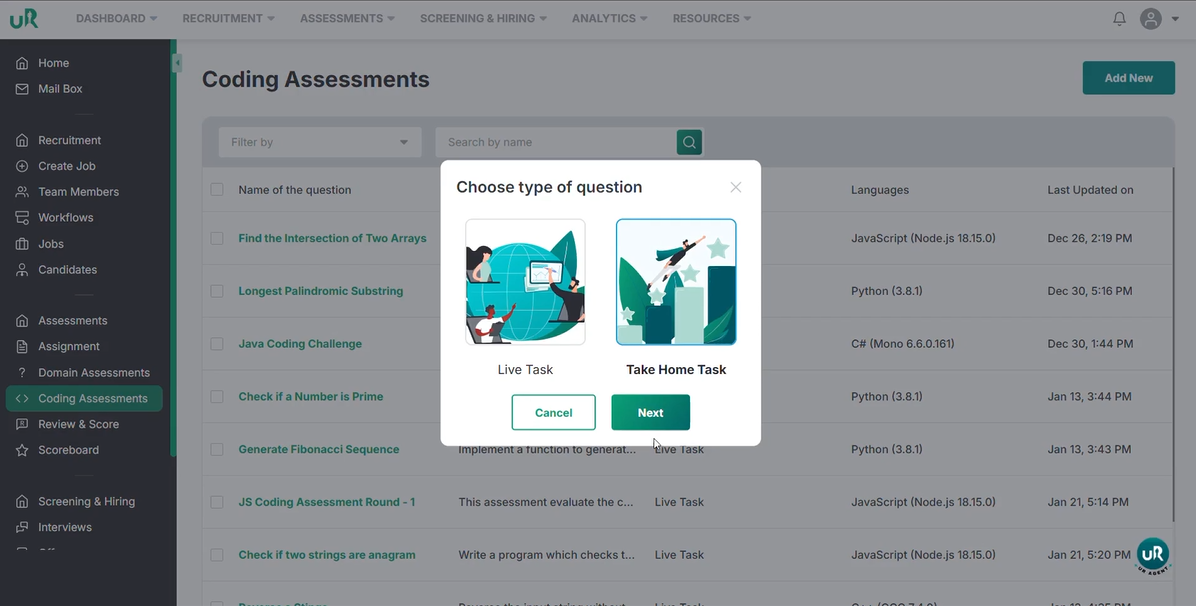
Add New Assessment:
- Click the "Add New" button. Select TakeHomeTask:
- Choose the "TakeHomeTask" option.
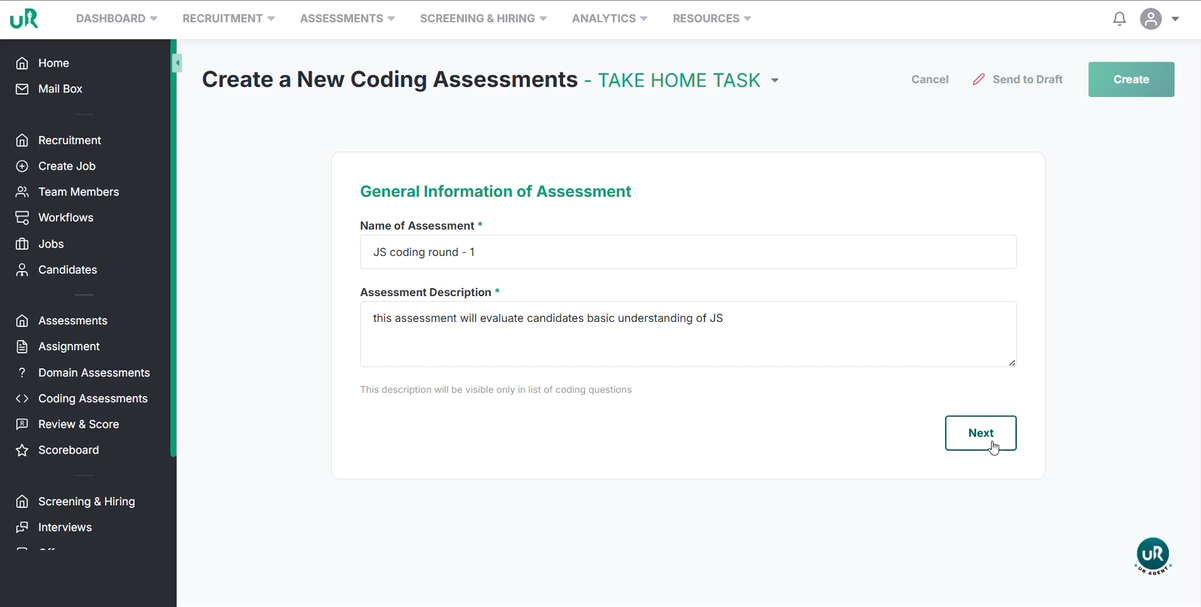
Name the Assessment:
- Enter a name for the assessment (e.g., "JS Assessment") . Add Description:
- Provide a description (e.g., "This assessment will evaluate candidate's basic understanding")
Add Question Details:
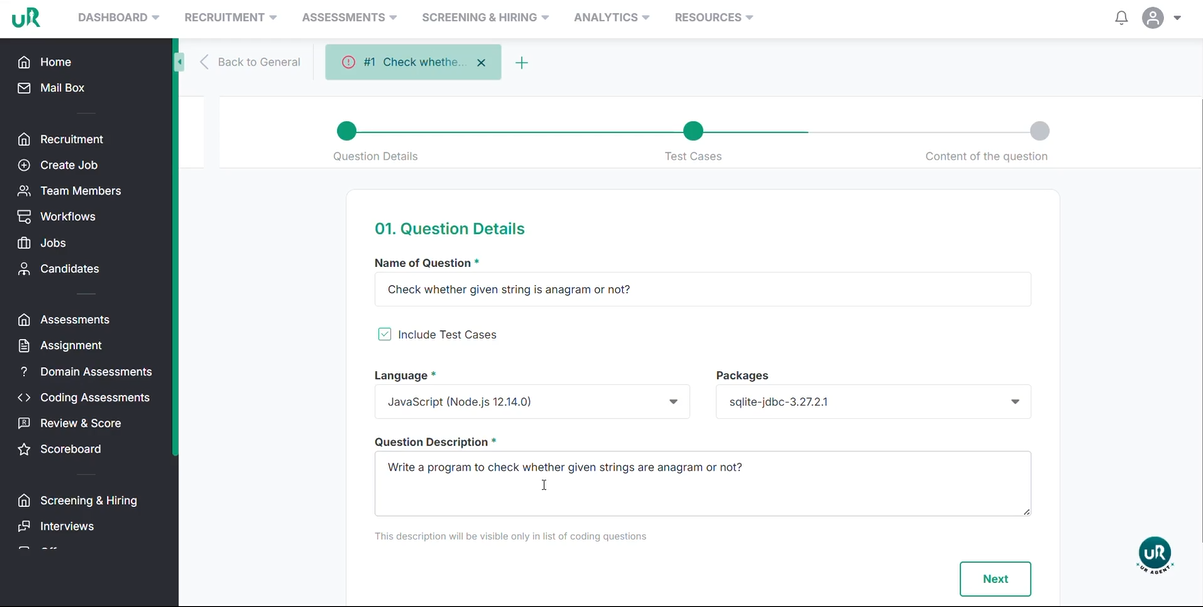
- Click "Next" and enter the first question (e.g., "Check whether the given string is an anagram or not")
- Choose whether to add AI-generated test cases.
- Select the language and package.
- Describe the question.
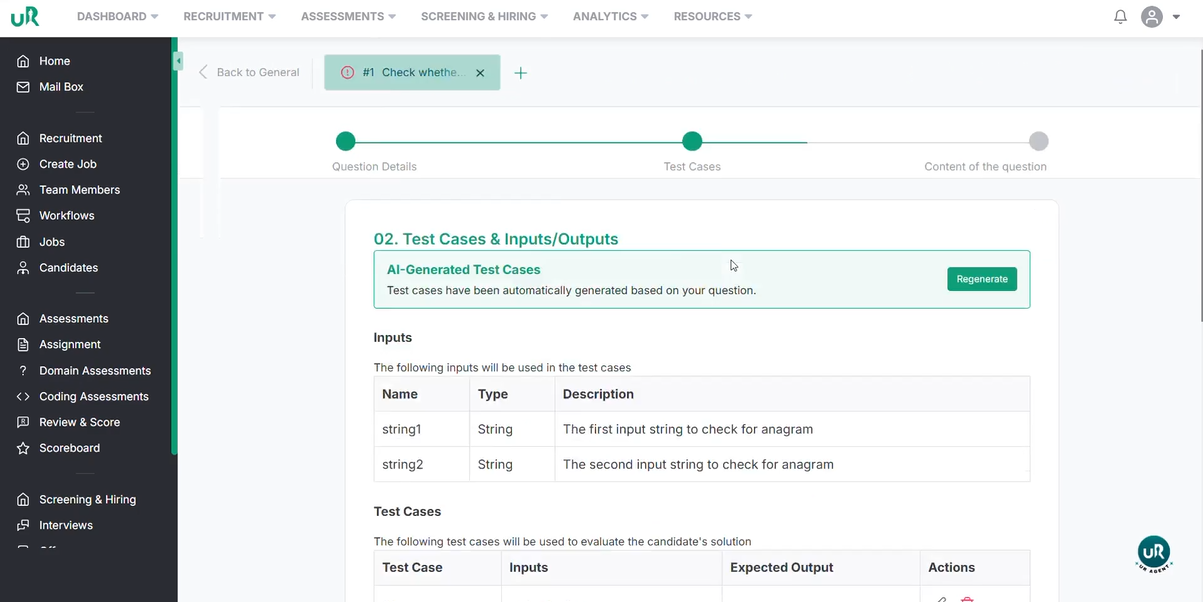
Review AI-Generated Test Cases:
- Click "Next" to allow AI to read and generate test cases.
- Review the generated test cases (e.g., "listen" and "silent" should pass, "hello" and "billion" should fail)
Add Candidate Instructions:
- Click "Next" and add instructions for the candidate
Troubleshooting
- Incorrect Answer Key: Double-check the selected answer key for each question to ensure it is correct.
- Missing Description: Always add a clear description to coding assessments to guide candidates.
- Test Cases Failing: Review the test cases for coding assessments to ensure they accurately reflect the requirements.
- AI Test Case Generation Issues: If AI-generated test cases are not suitable, manually adjust or add new test cases.
Summary
You have successfully learned how to create domain-based assessments, LiveTask coding assessments, and TakeHomeTask coding assessments.