End-To-End Candidate Application And Offer Release Process
Comprehensive Guide: Managing the
End-to-End Candidate Application and
Offer Release Process
The process operates across two primary interfaces: the Candidate Portal, where applicants engage with job listings and manage their documentation, and the Recruiter Portal, which serves as the centralized hub for evaluations, approvals, and contract generation. This guide details the progression from the first Call to Action (CTA) of an application to the final execution of an employment contract.
The Application Submission Workflow
-
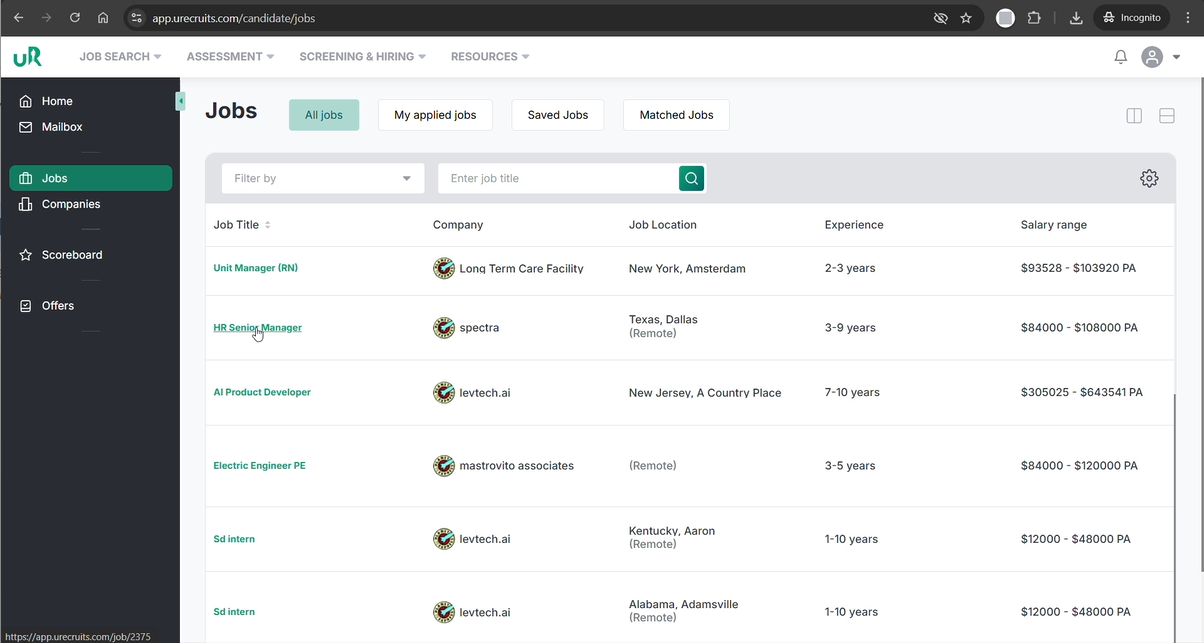
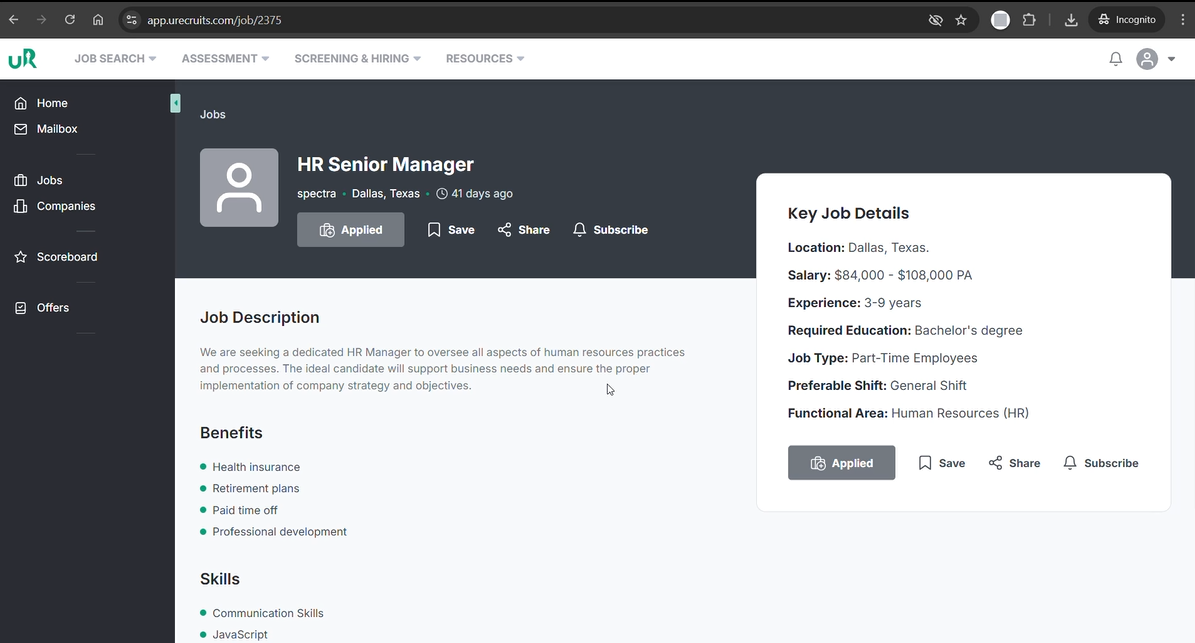
Job Selection: The candidate identifies the specific opening - the HR Senior Manager role within the Application Submission Portal.
-
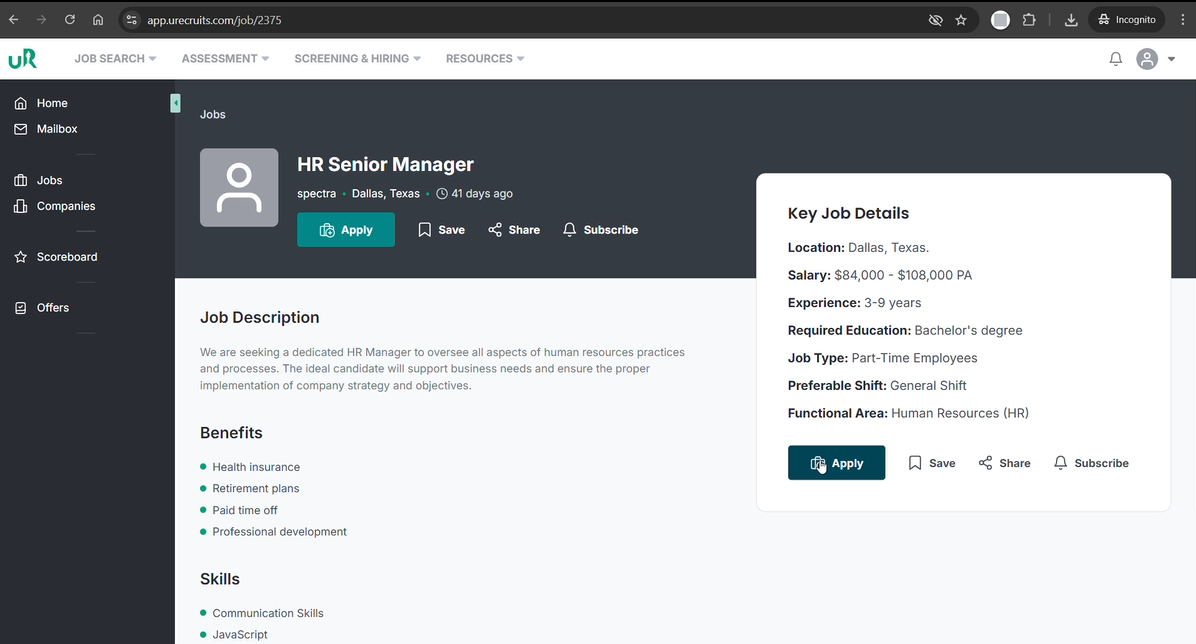
Submission: The candidate engages the primary CTA, the "Apply" button designed for immediate engagement without redundant data entry.
- Visual Confirmation: Upon submission, the interface provides an immediate success notification, confirming the application has been recorded within the system.
Recruiter Evaluation and Workflow Initiation
Once the application is received, the focus shifts to structured evaluation.
Advancing the Candidate Through Pipeline Stages
To manage the candidate, the recruiter must execute the following navigation and documentation steps through recruiters portal:
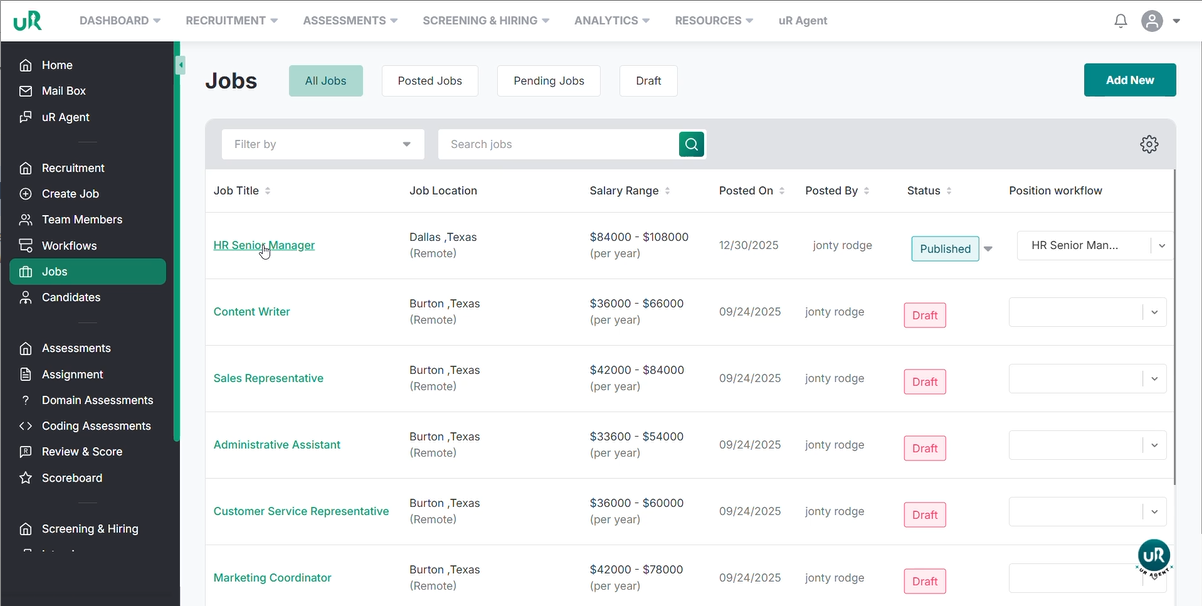
Pipeline Activation: Locate the HR Senior Manager requisition within the Recruiter Portal.
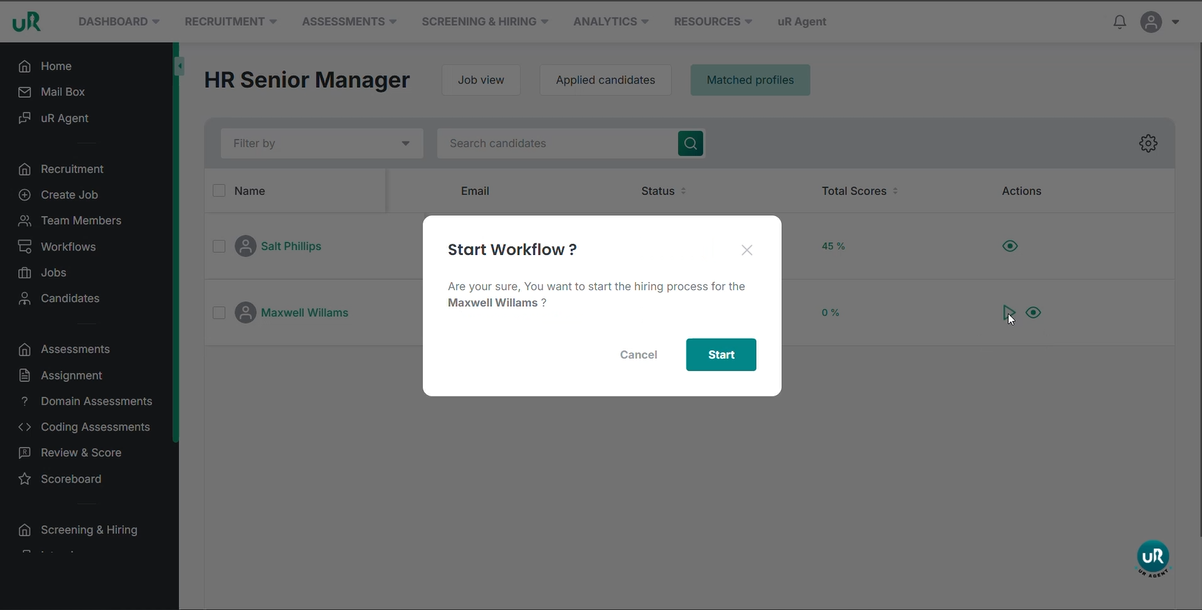
Select Maxwell Williams, and click on start to initiate the candidate workflow to track real-time progress.
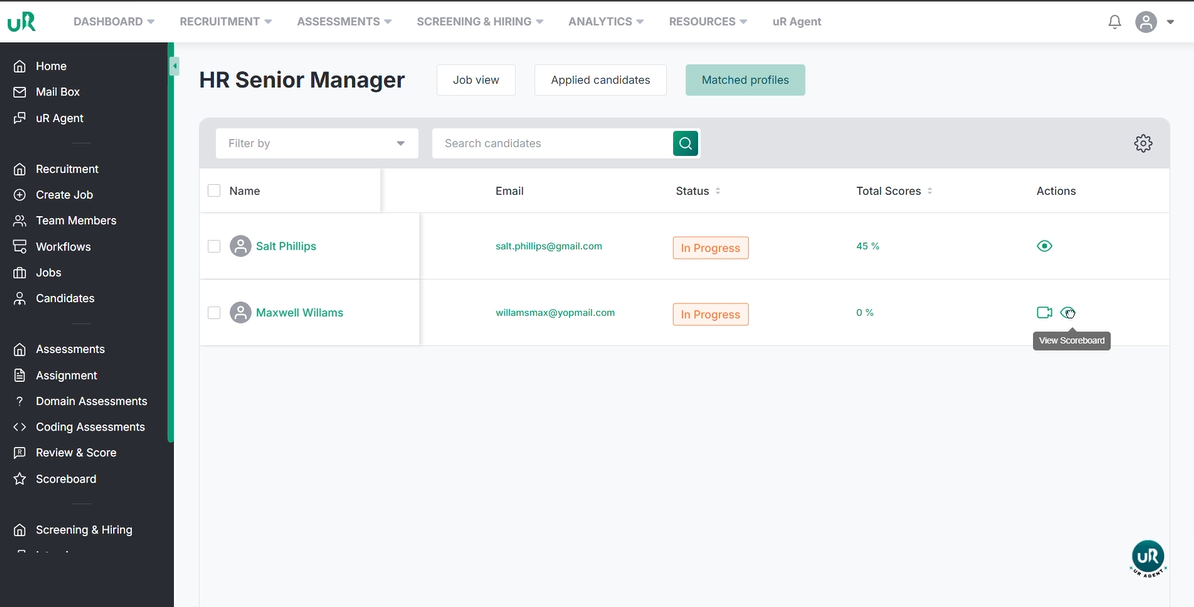
Once started, click on the eye icon to view the scoreboard.
Once in the scoreboard, we can see the candidates progress. Click on the update to change the status.
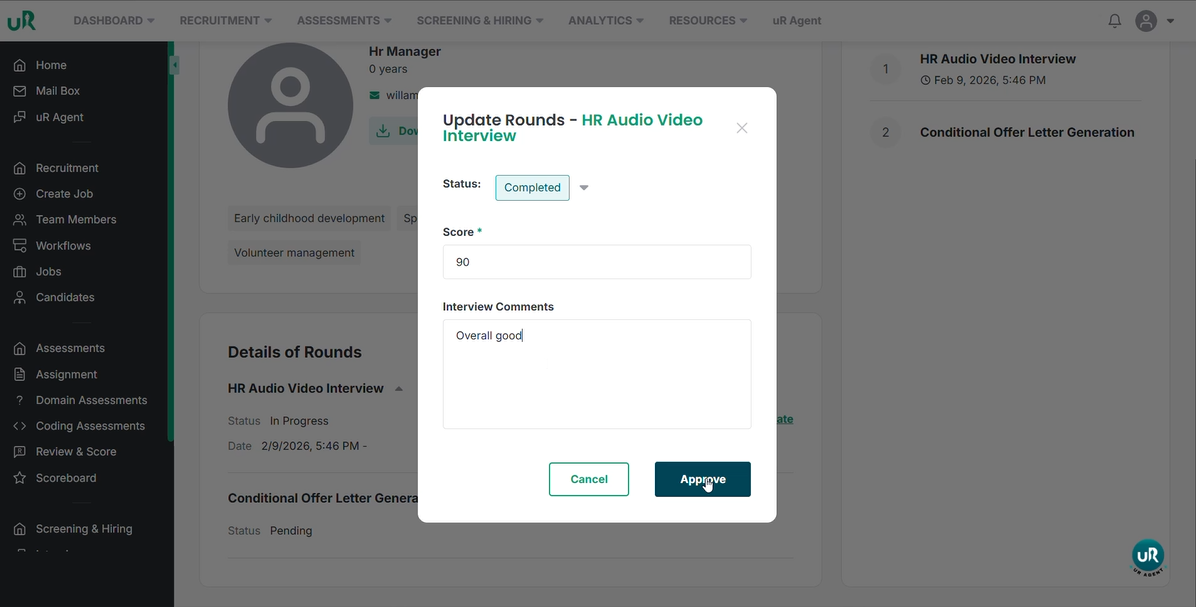
You can change the status, enter the score and give the comments here. Once done, click on the approve button. This will trigger the next stage of the pipeline.
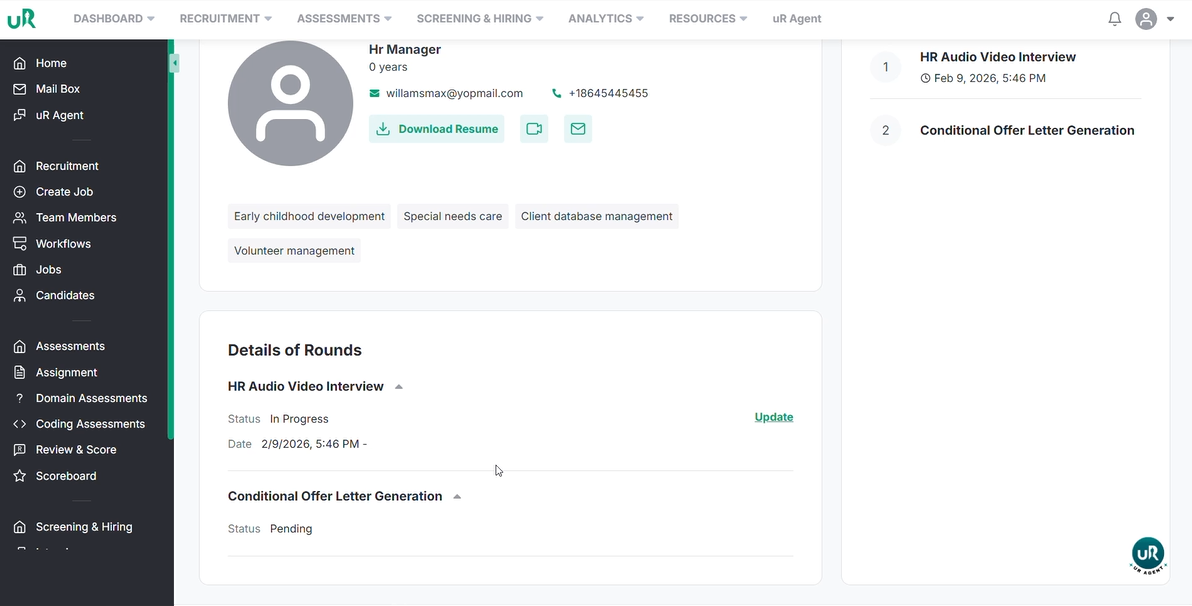
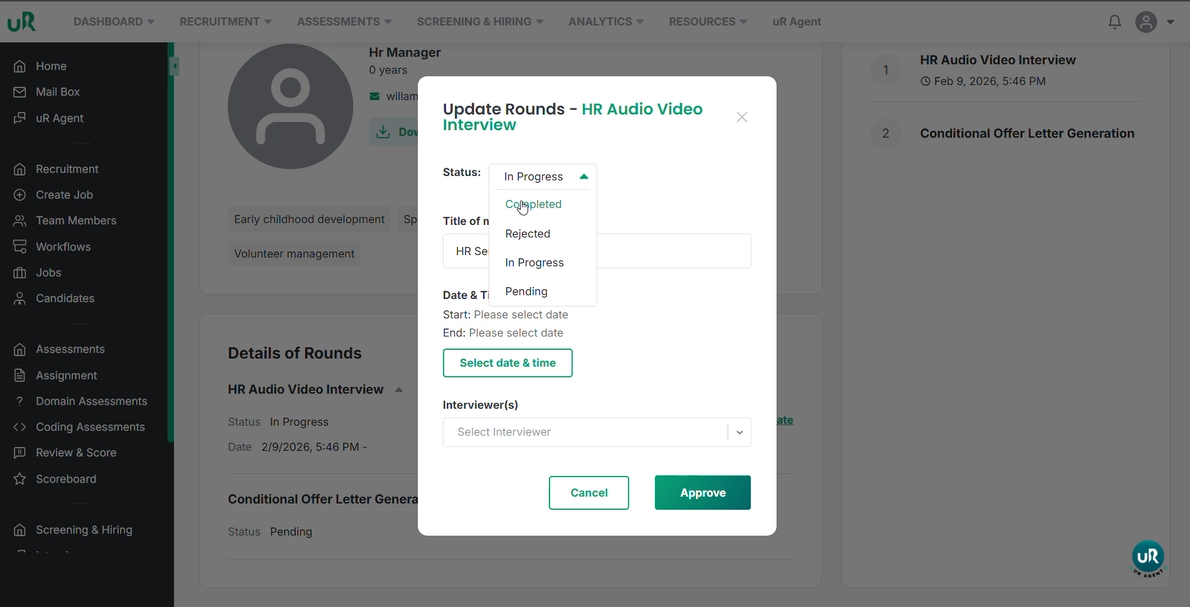
The above process acts as the system’s internal "green light," transitioning the candidate from the evaluation stage to the offer generation phase.
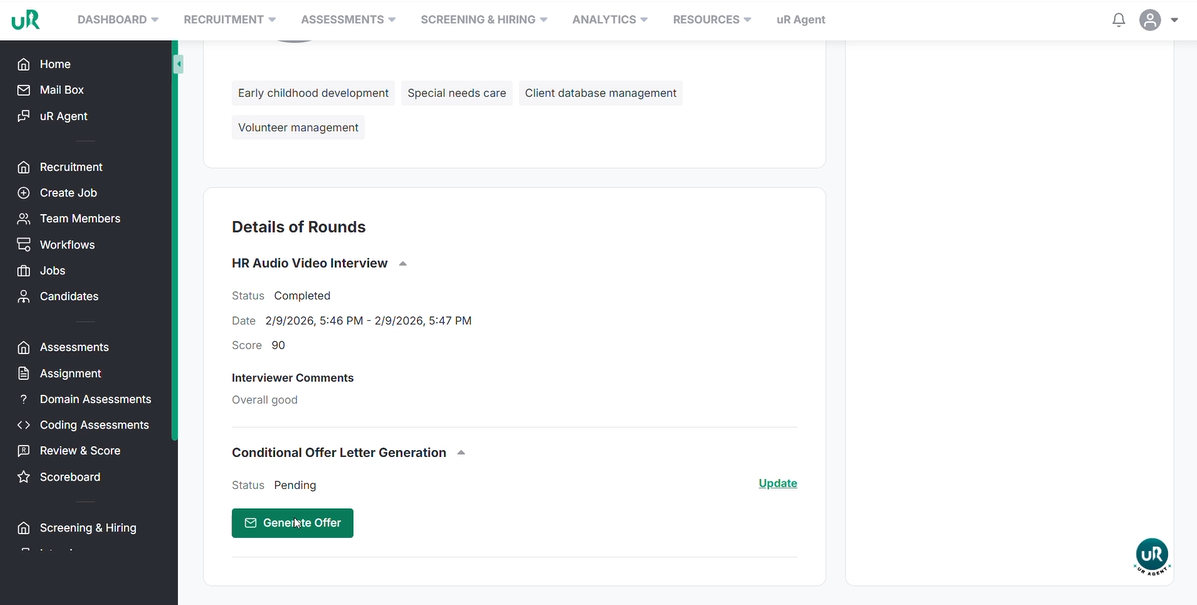
Generating the offer letter
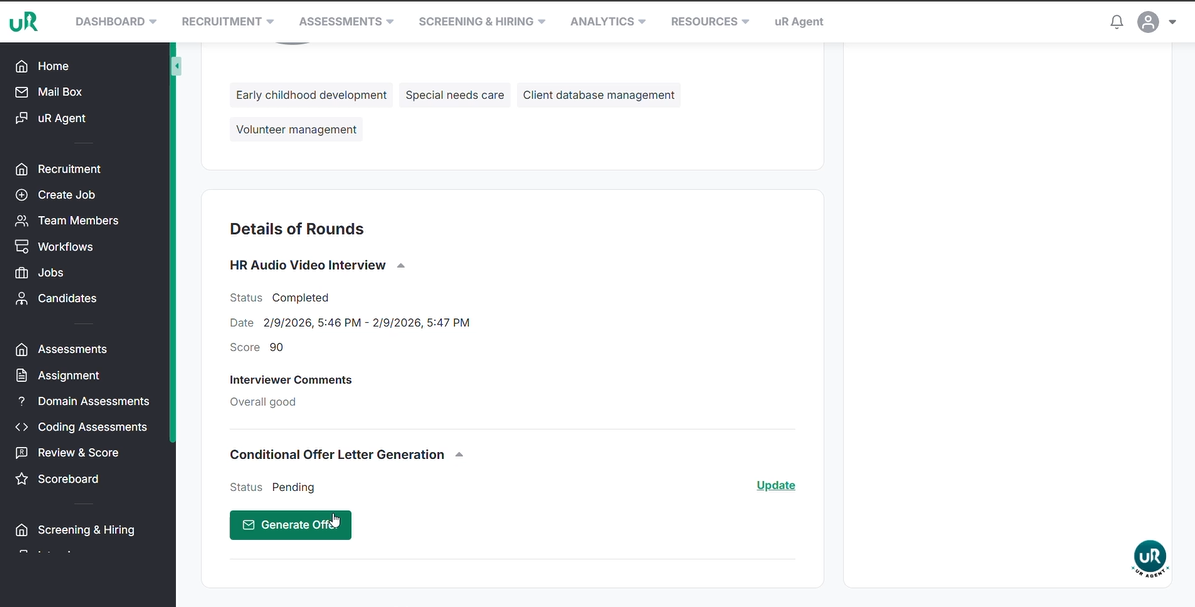
To generate the offer letter click on the Generate Offer. It will Initiate the offer generation process.
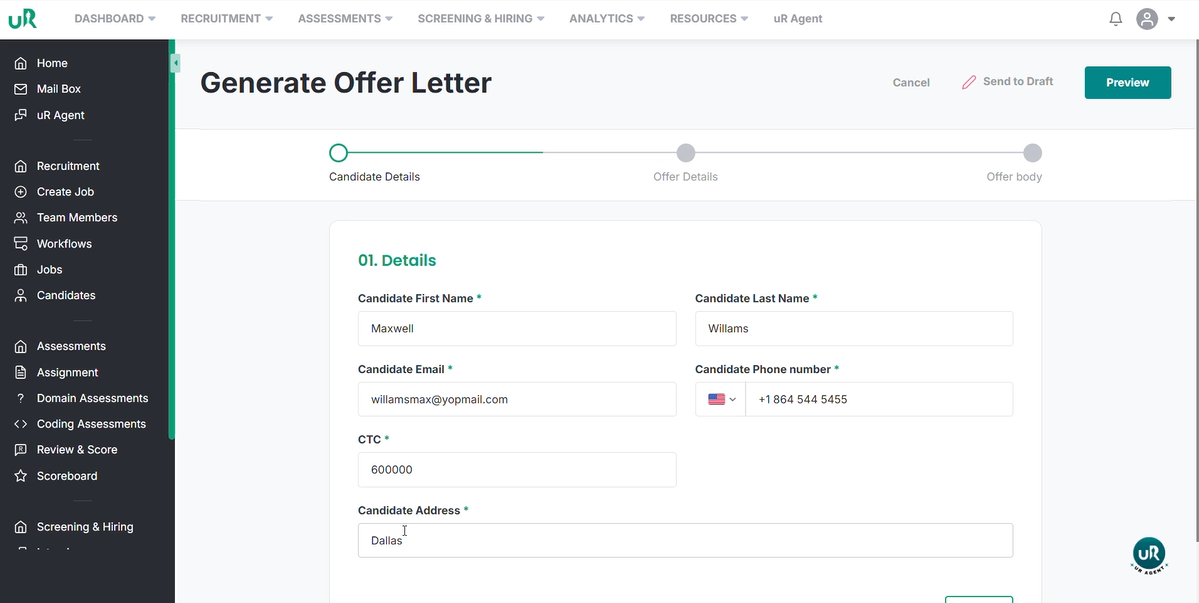
The system will automatically pull in existing candidate details. Manually populate the CTC (Cost to Company) and Address fields.
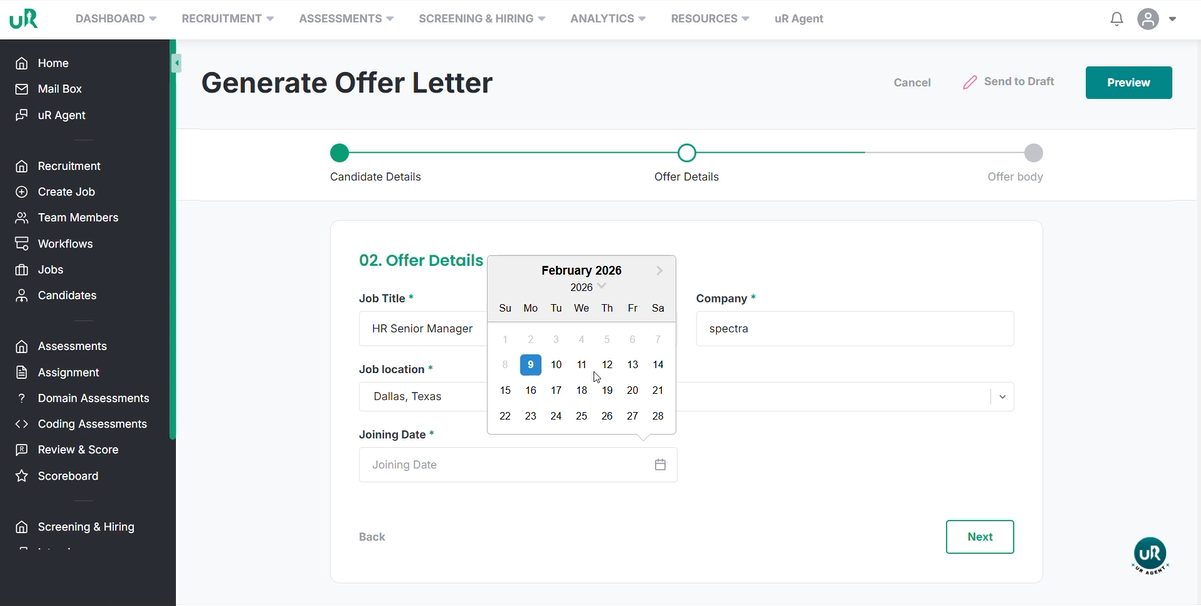
Specify the Joining Date.
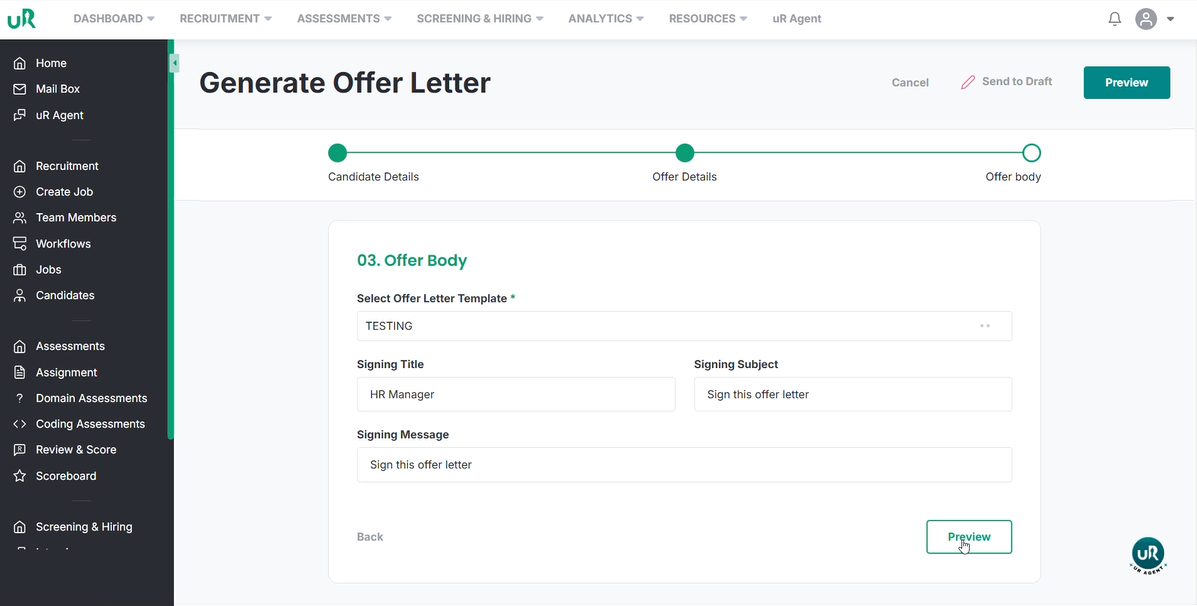
Select the appropriate Offer Letter Template from the dropdown menu. Set the Signing Title, Signing Subject and Signing Message.
Review the document by clicking Preview.
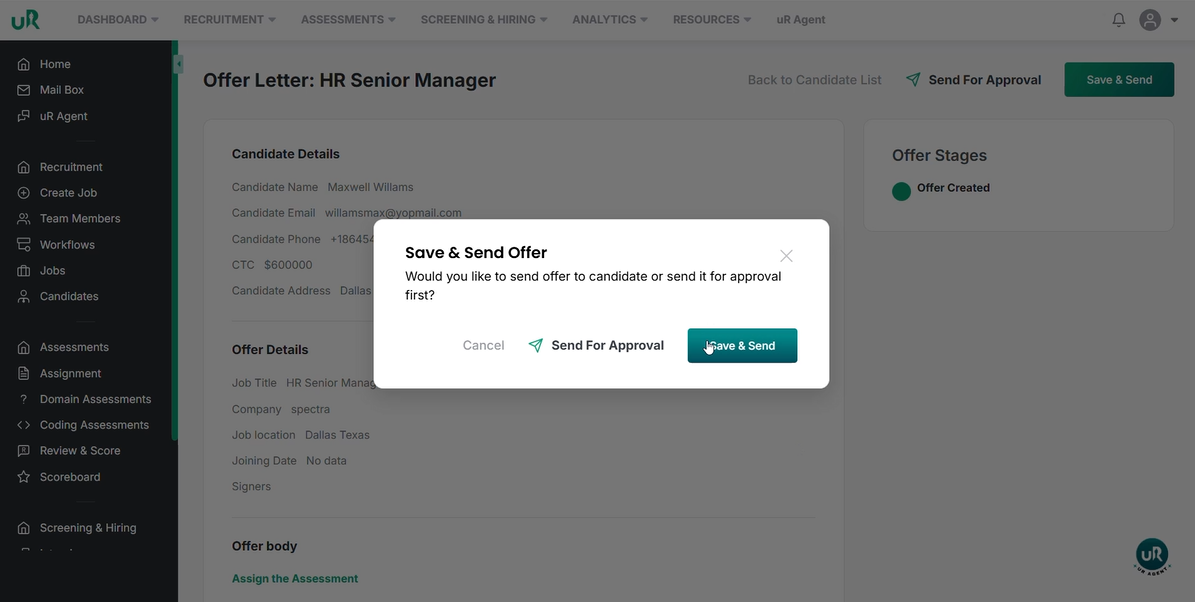
Finalize the issuance by clicking Save and Send.
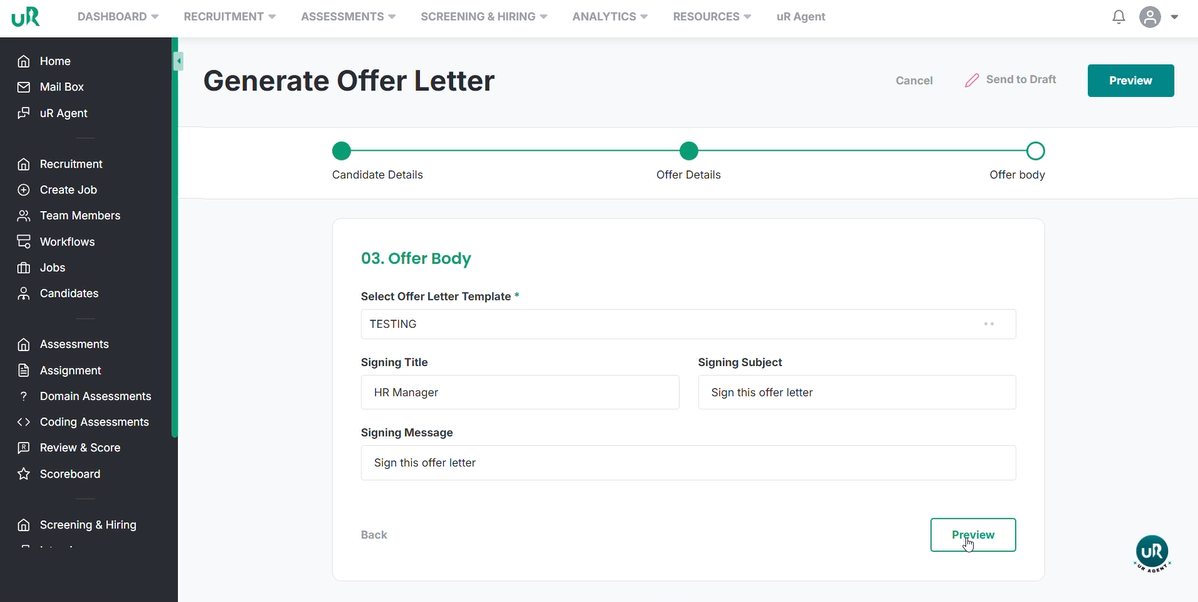
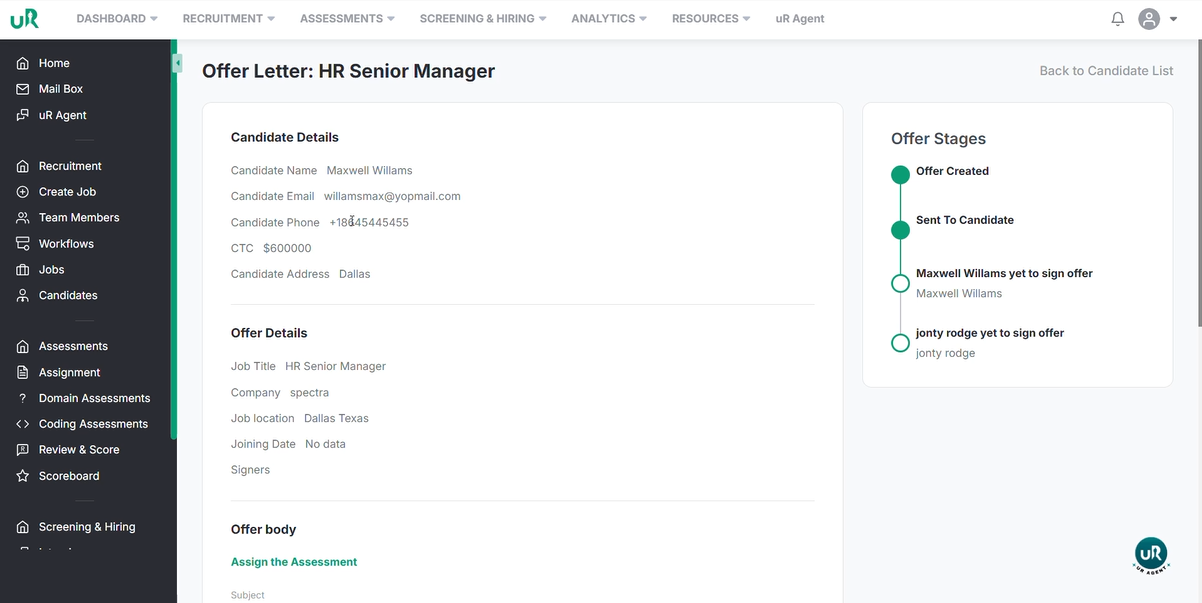
Once done, you can view the offer stages.
Signature Workflow Steps
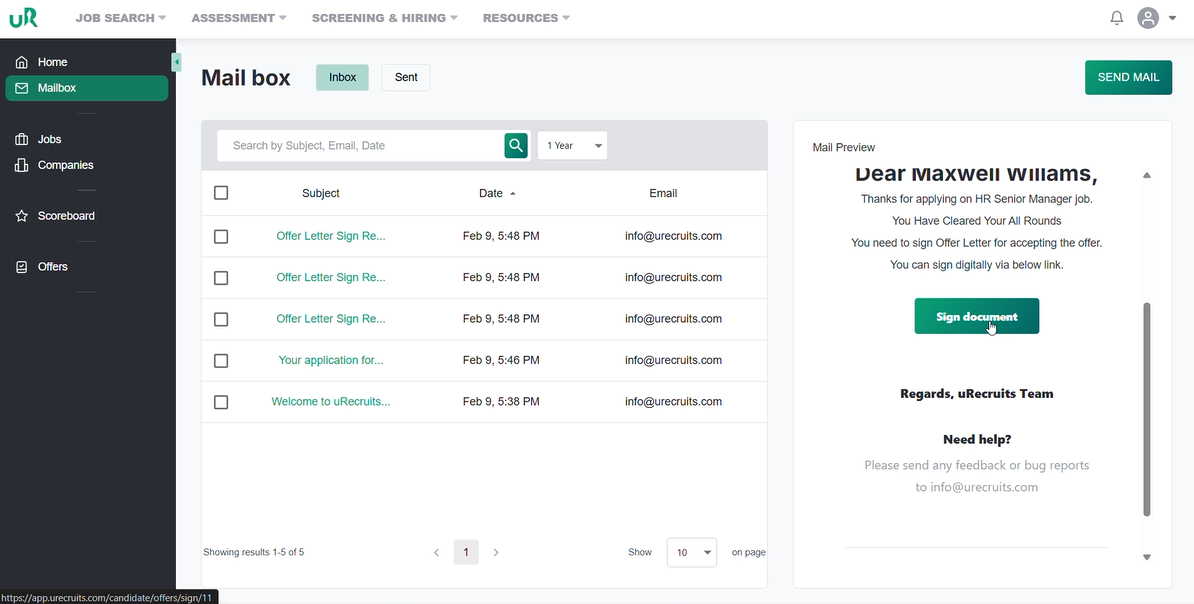
Candidate Action: The candidate receives an automated email notification.
They must select the relevant offer letter and click the Sign Document button.
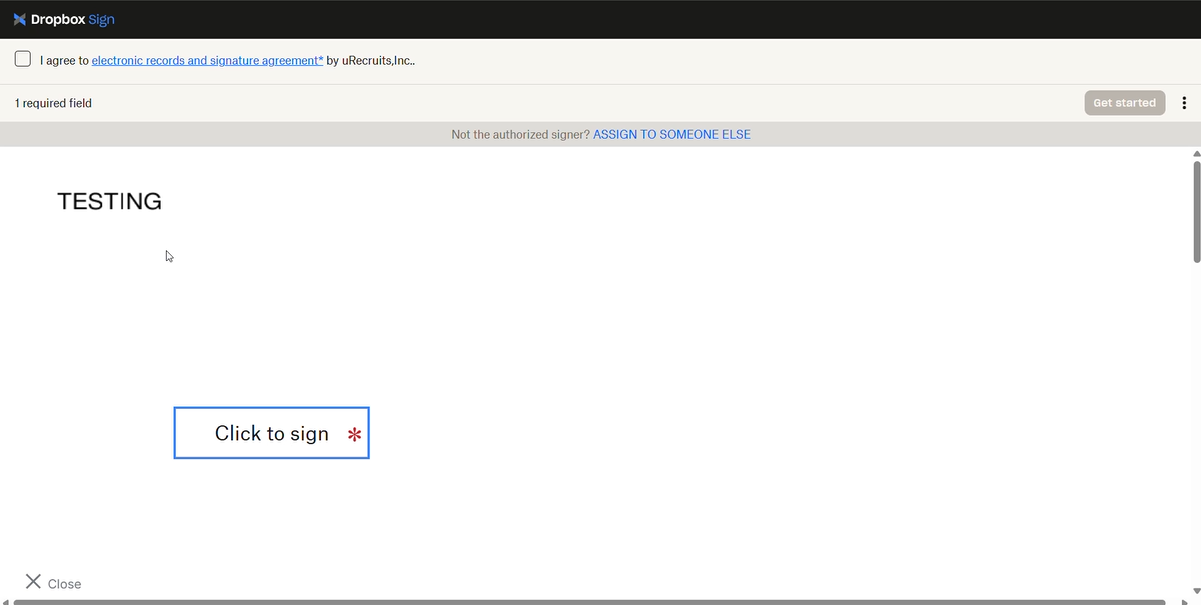
Then select Continue within the secure portal to execute their signature.
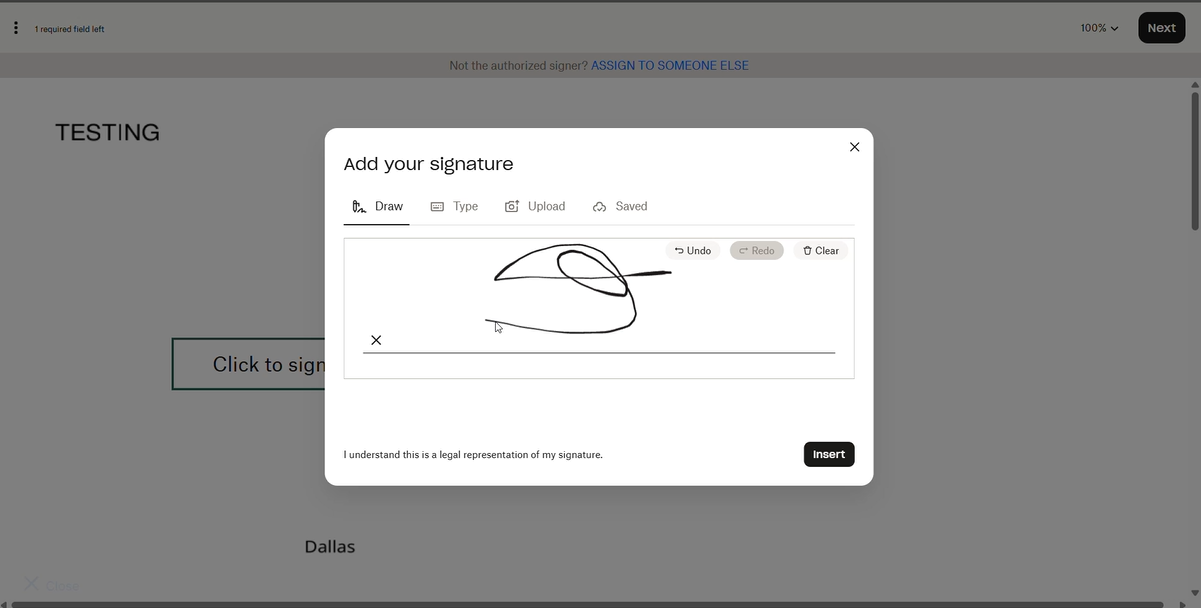
Put the signature and click on insert.
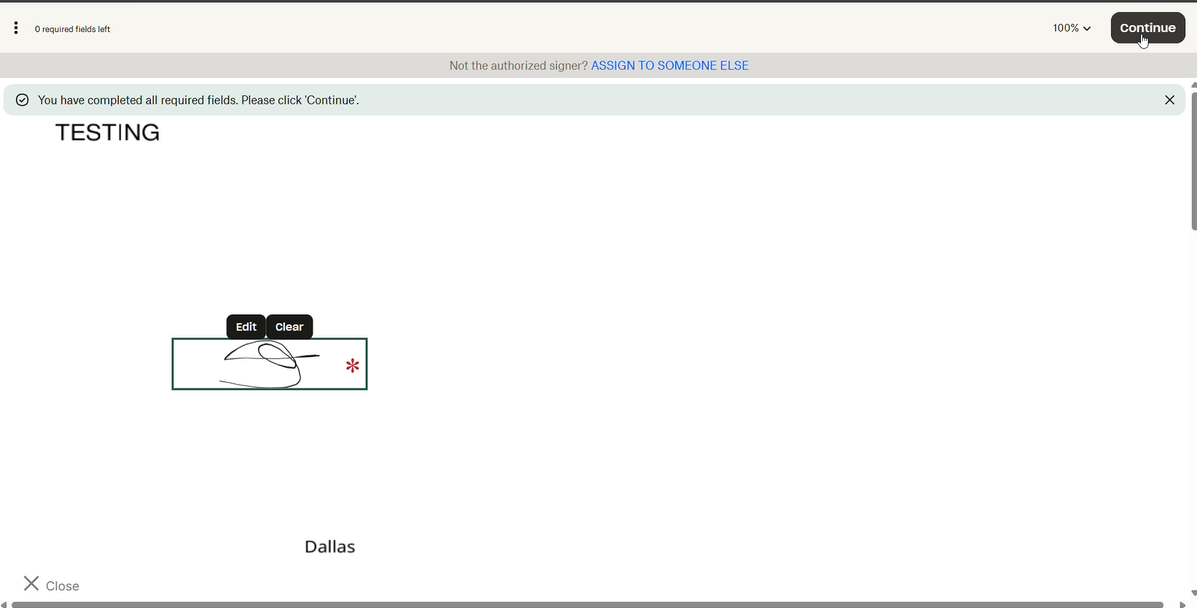
Once done, click on the continue button.
Internal Counter-signature:
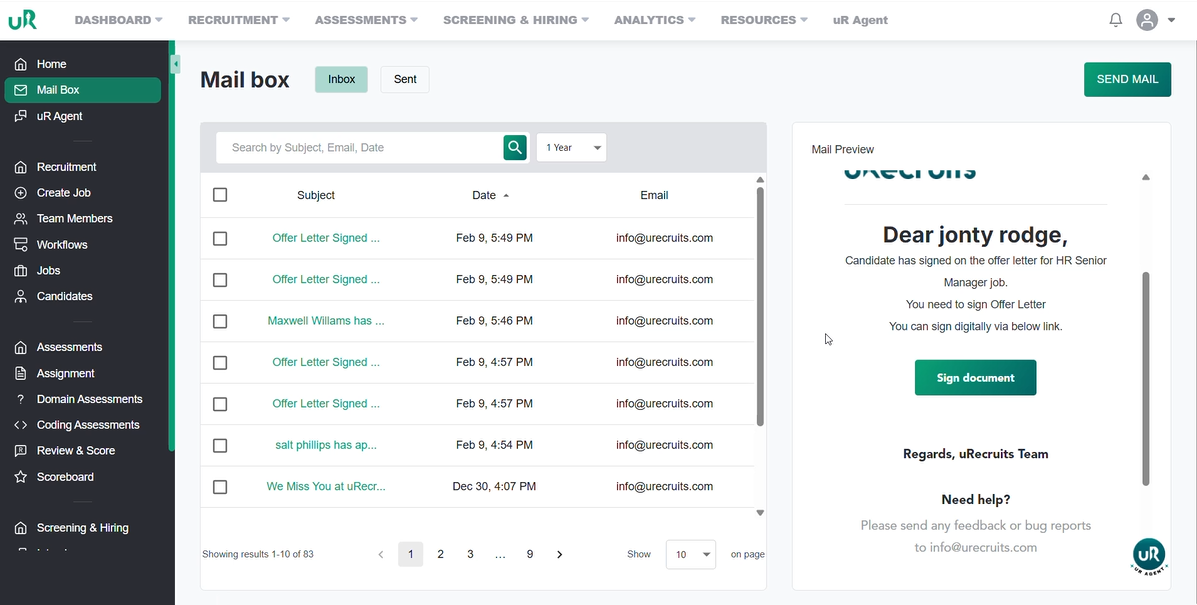
Once the candidate has signed, the system triggers a notification to the internal representative.
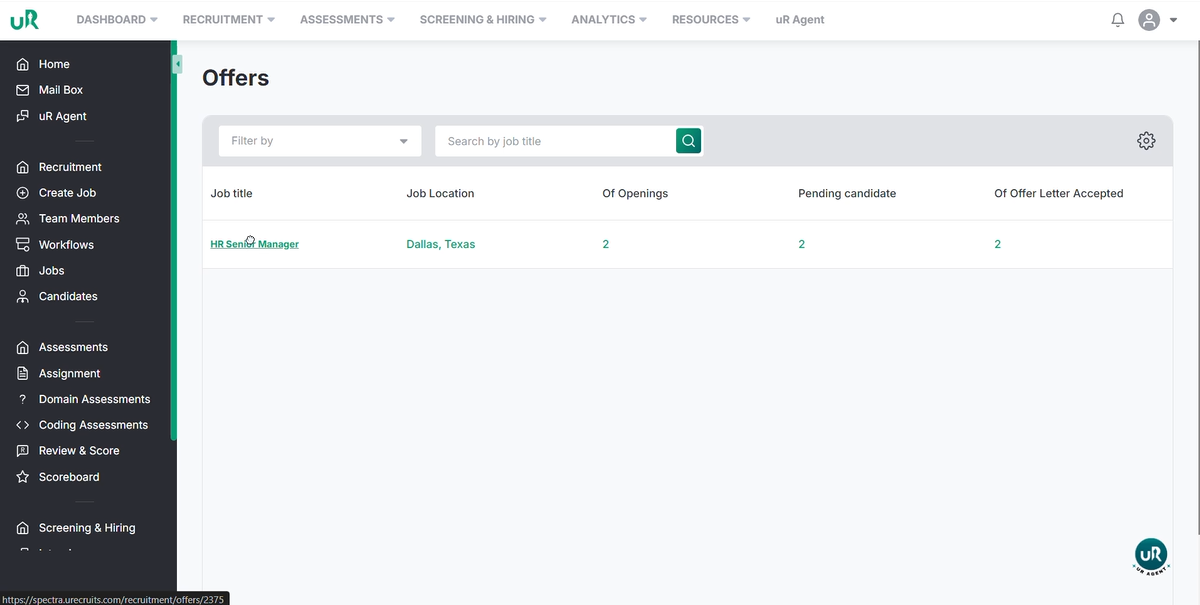
Navigate to the offer section in the recruiters portal.
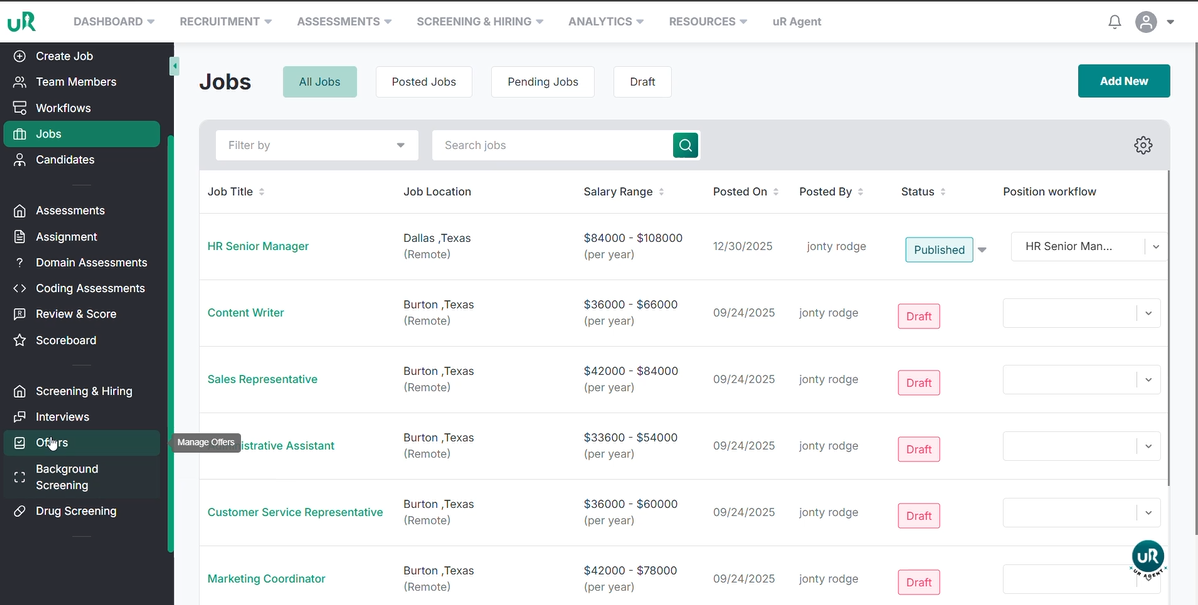
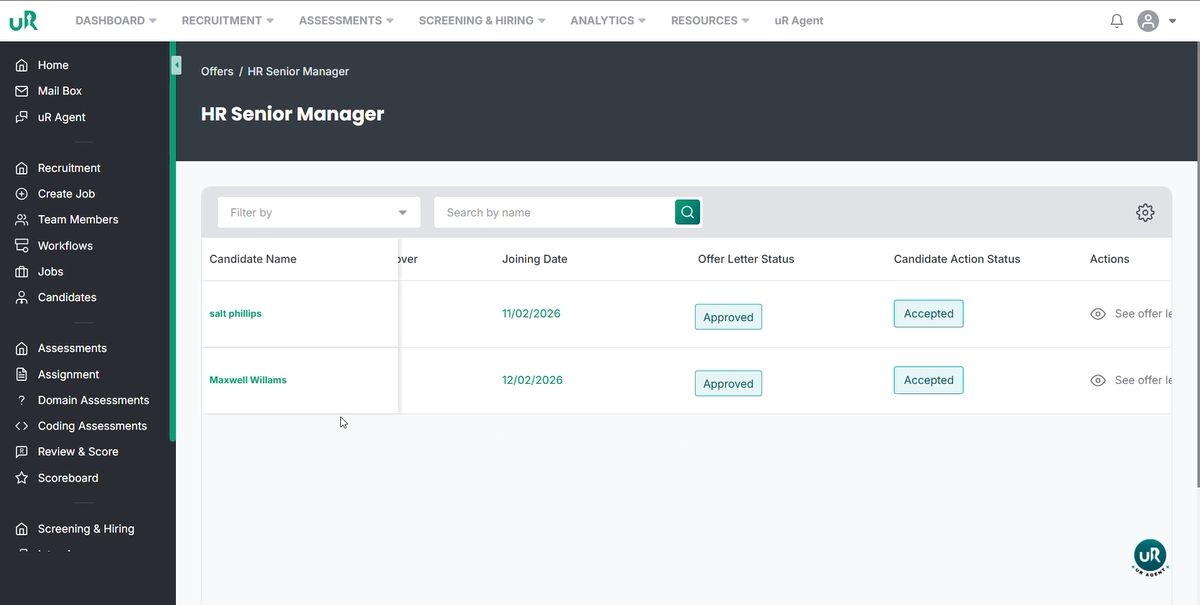
Click on the specific Job
Verify that the candidate’s status has been updated to Approved and Accepted.
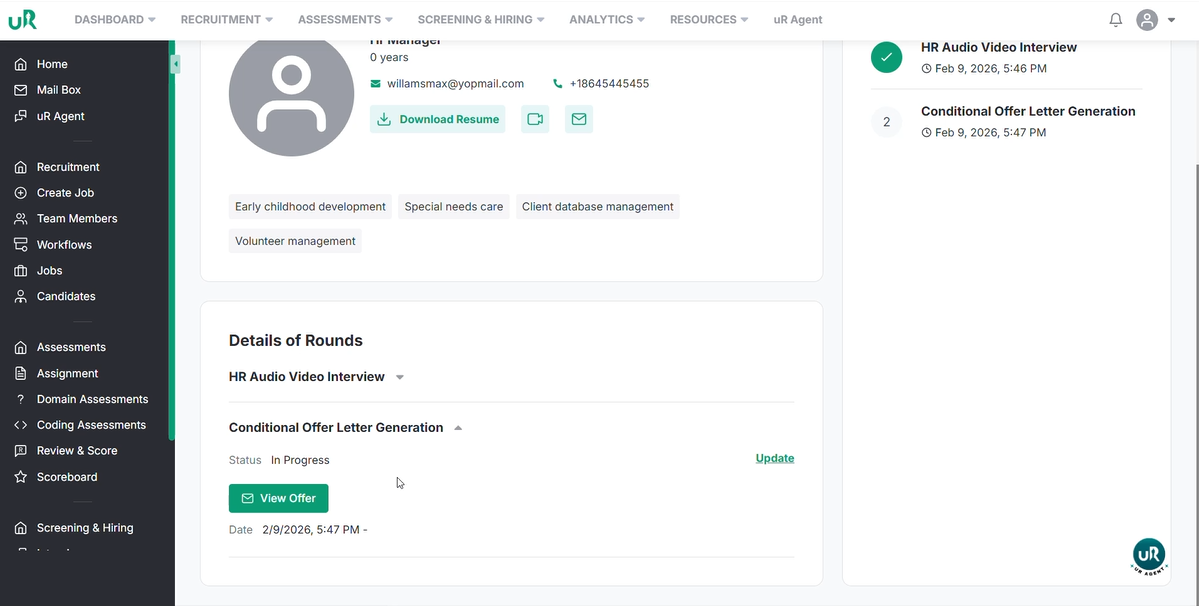
Click on the candidate and then on the view offer to see the offer stage.
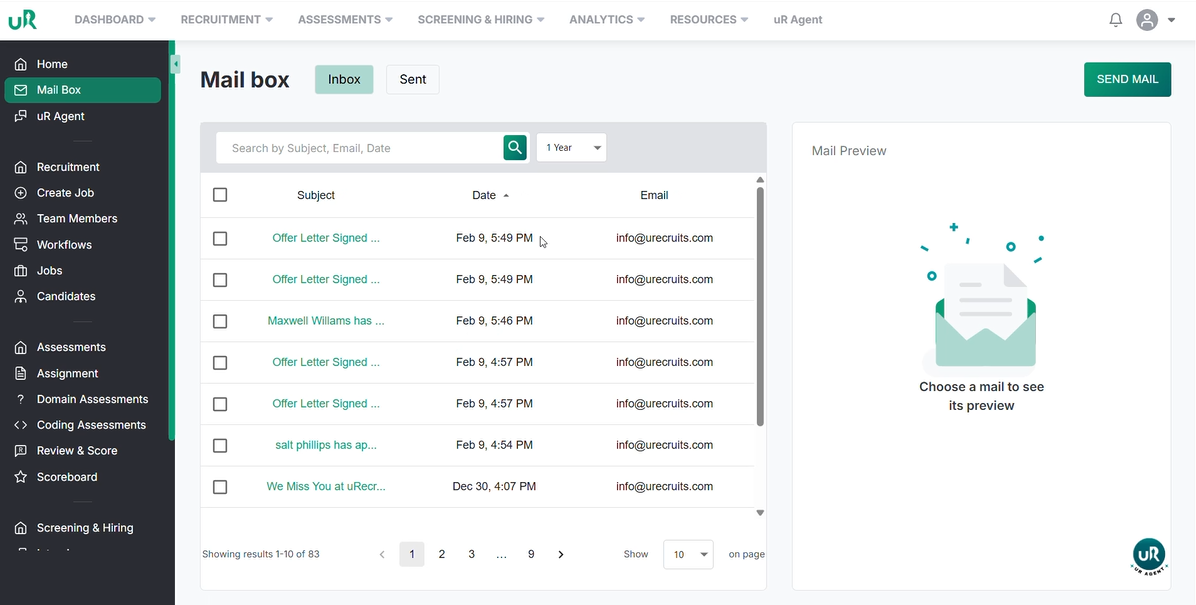
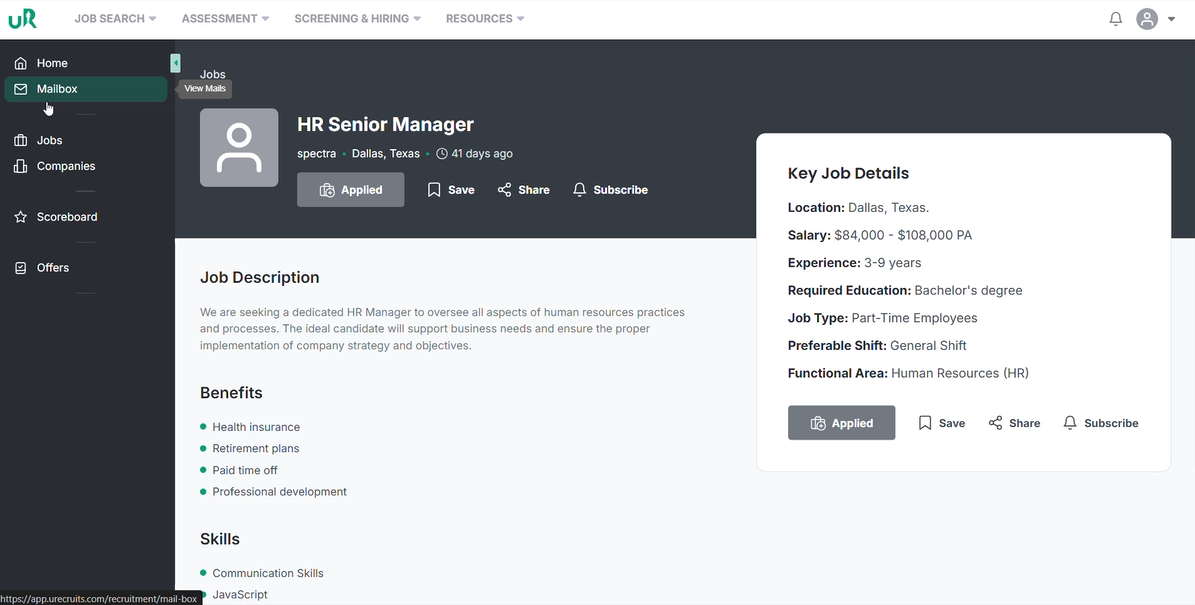
To sign the offer letter, go to the mailbox and click on the mail.
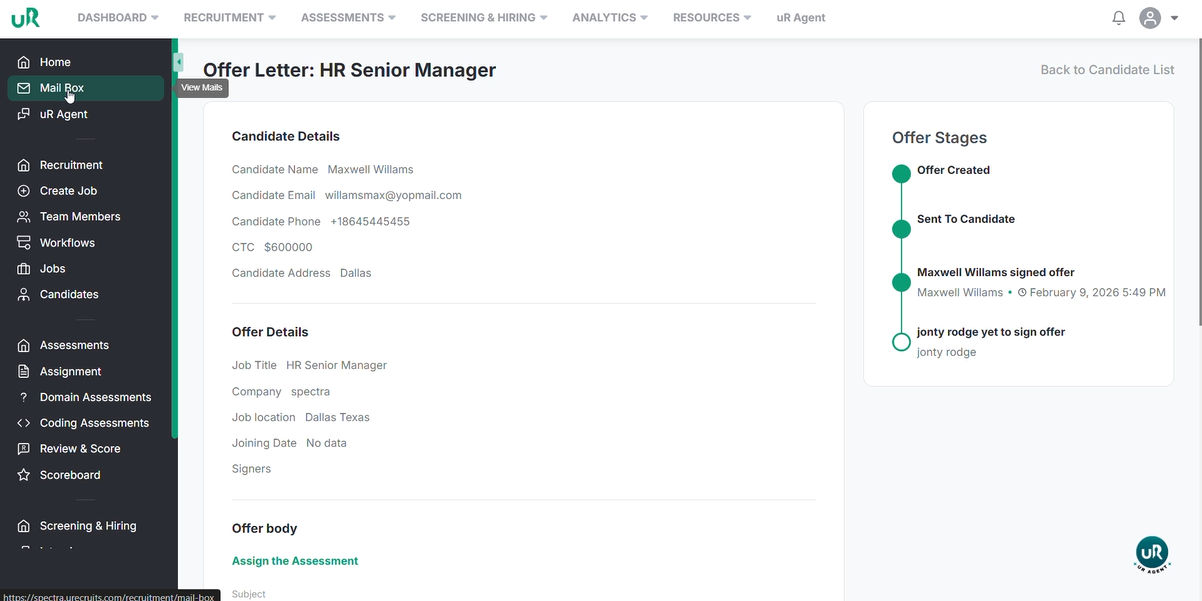
Click on sign the document to complete the process.
Once both the recruiter and candidate have signed. You go into Offer, click on the job title, click on the candidate, click on the view offer to see that all the stages have been completed.